Sunday, 16 February 2014

In Depth: 10 killer apps that iPhone should steal from Android


In Depth: 10 killer apps that iPhone should steal from Android
We know. We know. You went for iOS because of its superior ease of use, because of its it-just-works reputation and lack of device fragmentation, because of the iOS-exclusive apps and because the hardware's pretty tasty.
And that's great, but let's be honest: Apple's "It's Apple's way or the highway" approach sometimes means that the things that delight users of other platforms don't always make it onto iOS.
Why can't we change our keyboards, count our Bitcoins or install from our iMacs? These are the Android apps and app features we'd love to see on our Apple devices. What about you?

1. Swype

Swype, Tasker, Blockchain
Don't like Apple's on-screen keyboard? Tough: you can't change it, and that means you're excluded from the many joys of Swype. Swype's scribbly-input is close to magic, and once you've got the hang of it it's incredibly fast.
Things are improving in iOS input land - the excellent SwiftKey is now available on iOS as a stand-alone app - but we'd love to be able to swap out the default keyboard altogether.

2. Tasker

Tasker could well be the poster child for Android apps: it's a little intimidating at first, but the things it can do are incredible. It takes the same "If This, Then That" approach as the IFTTT web service, but it applies it to your device - so you might say "if I plug in the headphones start playing music", or "if it's 3pm on Friday I'll be in a meeting so silence the ringer and text anyone who calls to say I'll get back to them afterwards". It's like the Automator app you'll find in OS X, and like Automator it's really a programming language masquerading as an app.

3. Bitcoin

This month Apple upset a whole bunch of Bitcoin miners by booting Bitcoin apps such as Blockchain from the App Store. The move demonstrates a strength and a weakness of Apple's app curation: on the one hand Apple's policing does remove malware, rip-offs and the very worst apps, but on the other it can mean Apple deciding to block legitimate apps that it doesn't approve of.

4. NFC

Locale, Go Launcher EX and Cover
Apple's ongoing dismissal of NFC in favour of its own alternatives (AirDrop and iBeacons) means that NFC apps on iOS aren't looking very likely, and that means iOS users are missing out on fun tag-related tomfoolery such as automatically switching to car mode when getting in the car, sharing contact information or triggering Tasker scripts.

5. Locale

Locale goes way beyond Apple's "remind me to get milk when I'm near Tesco" location awareness and its Do Not Disturb mode. Locale can turn off battery-hogging features when the battery is low or remind you to find a charger, it can change display settings - including wallpaper - according to where you are, and you can use it to create profiles that disable the ringer or turn off Bluetooth or anything else you fancy.

6. Go Launcher EX

As the outcry over iOS 7 demonstrated, not everybody agrees with Apple's design choices - and on Android, they can make their devices look and work however they want. There are stacks of Android customisation applications to choose from, including Go Launcher EX, although fans of irony may enjoy the news that Google briefly pulled one of them, Themer, because it made Android look too much like iOS.

7. Cover

Flash, Timely, App Lock
The Lock Screen is another bit of iOS many people would like to customise, and once again on Android there are all kinds of apps that Apple owners can only envy. One of the most interesting is Cover, which learns the apps you use in particular places and customises the Lock Screen accordingly - so it displays your entertainment apps at home, your working apps at work and your travel apps when you're on the move.

8. Flash

Yeah, we know, over Apple's dead body - and even Adobe's lost interest in making Flash for mobile devices. But there are times that Flash is still useful, such as when you're trying to read a restaurant's menu (why are they always in Flash? Why?) or play a Flash game.

9. Timely

Timely is an alarm clock, but it's not just a pretty clock face. If you're a little too handy with the snooze button you can get it to set you challenges before it'll switch off the alarm, and cloud sync means you can share settings and alarms across all of your devices. It's a superb little app.

10. App Lock (Smart App Protector)

The Play Store reviews suggest that it's a little buggy on some devices, but the idea behind App Lock is excellent: it offers locking not just of key phone features but individual applications (with individual passwords, if you want to keep things complicated), and if someone gets the login wrong it'll take a photo that you can use to identify and/or shame the culprit. The gesture lock is a particularly nice touch. Other App Lock apps go even further, with geofencing that works out where you are and enables or disables phone features and apps accordingly.

17 Bug and Issue Tracking Apps for Developers


Bug-tracking-apps
Every software development project needs bug and issue tracking to find and fix problems within hundreds, or even thousands, of lines of code. In addition to keeping tabs on outstanding issues, upcoming features and project schedules in a comprehensive system, many of these apps also allow users to submit feature requests and bug reports.
Incorporating bug and issue tracking within your workflow ultimately results in a better end product. We've listed 13 premium and free bug tracking applications, which you can use to speed up your development process and manage critical issues and errors
See also: The 12 Best Free Photoshop Plugins for Designers Read more...
More about Apps, Developers, Features, Dev And Design, and Software Development

Your Website: A Revenue Generating Machine


Content Marketing, Lead Nurturing, Customer Experience Management — there has been no shortage of discussion lately about how “digital content platforms” (e.g. your web environments) can truly be a successful component for marketing success. But what does that mean?
With so many of the larger players such as Oracle, SalesForce.com and Adobe acquiring companies in the content, marketing and customer relationship space – it would seem that it’s these technologies that are a key part.
What defines a “digital content platform” that is built for the purpose of becoming a revenue generating machine. And, what should we expect from the technology platforms that will actually power this machine?

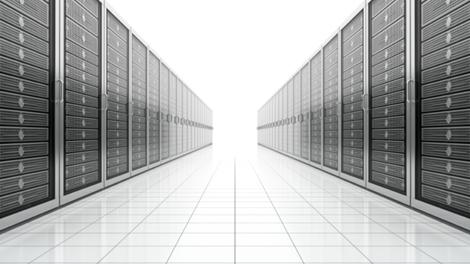
Industry voice: Beware the data centre behind your cloud


Industry voice: Beware the data centre behind your cloud
Clouds of the digital variety are great for increasing competitive edge, making cost savings and reducing the strain on Capex, but they don't offer much in the way of silver linings when your vital applications and emails suddenly stop working.
Out of nowhere, chaos reigns all around. While a few minutes of unplanned downtime may be okay, several hours or days will be catastrophic.
Looking at the statistics it's a case of when, not if, your cloud fails. Even the big name providers such as Amazon, Google and Microsoft aren't immune as recent events have shown.
Consider too the havoc caused by Hurricane Sandy with floods and power outages leading to IT systems knocked out not just locally but globally.

Is everything covered?

You may believe you have everything covered. No doubt you will have pinned your cloud providers down to tight service level agreements and they will have impressed with all the remote 24/7 systems monitoring they can do so that any IT problems can be quickly nipped in the bud.
Fair enough, but there are still the fundamental risks associated with cloud computing to consider.
Ultimately your cloud resides in data centres which may be located literally anywhere – just down the road, on the other side of the country, in another country altogether. Unfortunately some of these aren't particularly secure or efficient and even the most diligent cloud provider cannot predict or prevent the consequences of data centre downtime caused by power outages, storm damage or security breaches.
On top of this, the majority of cloud providers are often reliant on third party data centres they don't actually own. But at the end of the day it will still be your company's reputation and profitability on the line following a 'cloud burst'.

Healthcheck

To mitigate these risks, you need to know what's behind your cloud - not just who's providing it: who owns the data centres, where they are located, which of your applications they are hosting.
Ask your cloud provider for a data centre healthcheck including the following areas:
1. Resilience and Disaster Recovery
Ensure sufficient back-up systems and fail-safe measures in place? 'Tier 3' category data centres should be used as a minimum
2. Security
For mitigating risks of downtime from natural disasters or terrorism, see they are located well away from flood plains, large urban areas, flight paths
3. Power
There needs to be plenty available, and ideally, supply should come directly from the grid which ensures reliable delivery and dramatically reduces outages caused by spikes and surges
4. Connectivity
A choice of carrier networks will ensure continuity in the event of failure. These must offer sufficient bandwidth for your provider to efficiently deliver the applications concerned
5. Location
Data centre location will impact the cloud provider's price to you and is influenced by cost of real estate, labour, power supply. Compare prices against similar providers using other data centre locations
6. Access to data
Check there's a legal agreement in place should your cloud provider or their data centre partner go into administration. An escrow agreement will ensure you have legal access to retrieving your data.
  • Simon Taylor is co-founder and Chairman Next Generation Data, owner and operator of Europe's largest data centre, NGD Europe. Previously he was with Toshiba, Cable & Wireless and Interoute Products, which he founded in 1995.

In Depth: 13 awesome iPhone apps that would supercharge Android


In Depth: 13 awesome iPhone apps that would supercharge Android
We know. We know. You went for Android because it offered superior customisation, because it didn't patronise you, because it delivered more bang for your buck.
And that's great, but let's be honest: sometimes you'll see an iOS app and the word WANT flashes through your brain in 50-foot letters of fire.
These are the iOS apps we'd really like to see on Android. Is there anything great we haven't included, or do you use excellent alternatives? We'd love to know your thoughts.

iA Writer

Dark Sky, Fantastical, Tweetbot
The iOS App Store is packed with writing apps, and one of the most popular is the simple and superb iA Writer: it's designed to help you concentrate on what you're writing and nothing else, and as a result it's deliberately stripped down so that you can't procrastinate by messing around with fonts or formatting. You can sync via iCloud or Dropbox, and on iPads there's a nifty focus mode that only displays three lines at a time.

Fantastical

Android isn't short of calendar apps either, but - wait for it - Fantastical is different. It looks good and its natural language input means you can enter things such as "London Grammar 7pm tuesday calendar gigs" or "todo buy dog food at 5pm". It's good with repeating events too.

Tweetbot 3

Paper, IFTTT, Fuelband
Tweetbot is the Twitter power user's app of choice: it's fast, friendly and it boasts lots of features for taming the Twitter firehose. There are mute filters that enable you to block users without unfollowing them - brilliant for sporting, news or entertainment events you don't give a toss about - and support for multiple services including Instapaper and Pocket, and it's as happy handing multiple accounts and lists as it is running a single account while you swear at Question Time.

Facebook Paper

Android users aren't the only ones excluded from the Facebook Paper party: for now it's US-only too, although both international and Android versions are incoming. Paper may well be the future of Facebook: it delivers a much more beautiful version of your News Feed with an emphasis on video and photography.

IFTTT

Amazingly, the excellent If This Then That trigger-action service hasn't made its way to Android yet: the best you can hope for is third-party apps such as LIFTTT. The app is coming, but in the meantime Android users can only drool over the iOS app's ability to automate services such as Facebook, Gmail and Twitter, and devices such as Belkin's WeMo switches and Philips' Hue bulbs.

Nike+ Fuelband

Mailbox, Reeder, Clear
This is an odd one: you'd think a firm with the global reach and deep pockets of Nike would ensure its Fuelband fitness kit worked as well with Android as it does with iOS. Nope. Nike says that the problem is reliability: it can't guarantee that any Fuelband app would work consistently well across several hundred handsets. "We have nothing against Android," Nike VP Stefan Olander told The Next Web in late 2013. "We just want to make sure that when we do it, it works well."

Mailbox

Email can be pretty horrendous sometimes, but Mailbox makes it much more pleasant: it's designed to clear your inbox quickly, archiving stuff you don't need to bother with and scheduling stuff you do. It's currently iOS-only with support for just Gmail and iCloud email, but its recent purchase by cross-platform sharing kings Dropbox suggests a brighter future.

Reeder 2

Silvio Rizzi's RSS reader is an absolute joy for news fiends: Reeder connects to the major RSS and sharing services (Feedbin, Feedly, Feed Wrangler, Fever and Readability plus the usual Send To services), it's lovely to look at and it's very fast. Where apps such as Flipboard try to make the news look pretty, Reeder concentrates on delivering the information you need as quickly as possible.

Clear

Industry voice: High-Performance Computing - getting ready for the future


Industry voice: High-Performance Computing – getting ready for the future
According to IDC, the global high-performance computing (HPC) market has recovered from the recession and is poised to grow at a compound annual growth rate (CAGR) of 6.8 to 7.8 percent through 2016.
Historically, the market has been dominated by academic institutions with the necessary funding to take on big supercomputer projects.
This is changing. Fuelled by an understanding of HPC's potential to reduce 'time to insight' and accelerate time-to-market, commercial organisations from engineering firms to geoscience companies are expressing interest in HPC.
In the UK, the Government is playing its part too, with the recent announcement that it will invest £270 million into research into quantum computing, highlighting the seriousness of its intent.
But for the commercial potential of HPC to be fulfilled, organisations need to address two perennial issues: the continuing engineering and computing skills shortage and the high cost and inflexible nature of many systems in use today. At Bull, we believe a combination of talent and technology holds the key.

Addressing the Skills Gap

Skills shortages still represent an obstacle to HPC's long-term success. The decline in numbers enrolling in computing and engineering courses remains a concern.
According to entrepreneur Sir James Dyson, Britain "produced 12,000 engineering graduates a year – and there are currently 54,000 vacancies. It's predicted that in two years' time there will be 200,000 vacancies."
That said, many universities in the UK are developing courses that respond to industry's needs. Also, there remains a rich source of people, even among non-technology graduates with the potential to become excellent HPC consultants. The question is how can industry attract and then develop this talent?
Some technology businesses are doing this themselves and building networks of HPC specialists to identify and develop people. Others are working with universities to provide post-grad and pre-grad education to introduce valuable skills to the market. Bull does this in the UK with Warwick University for example.
When they engage with recruiters, technology companies should look to deal with specialists that can spend time identifying what each is looking for. That means they may only deliver up two or three candidates for each available HPC spot but those candidates are more likely to fit the bill.

Finding a Simpler Solution

Technology can also play a key role. To accelerate adoption and help to bridge the skills gap, vendors need to make HPC systems easy-to-understand and use.
By doing so, they will help drive their customers to adopt flexible architectures and make technology more accessible. Second, providers need to work with commercial customers to ensure that software and applications are modified to leverage the scale of computing systems that HPC typically supports.
Running alongside these developments is the emergence of a new HPC delivery model, HPC-on-Demand. This involves the solutions provider investing in infrastructure that gives prospective users the opportunity to access that computing resource rather than investing in complex IT hardware upfront.
HPC-on-Demand addresses the major difficulty that many engineering companies have in managing their requirement for IT systems: their inability to accurately anticipate their future workload. In most cases there will be no predictable pattern of need.
If a company implements HPC in a traditional way they typically run the risk of either having to overprovision or being limited in the design work they can do because they do not have sufficient equipment in place.
The best way to overcome this is to meet peak requirements automatically on-demand. By using this approach, companies no longer need worry about the complexities of running their own environment or the need for highly-skilled specialised teams. Instead they can tap into the available computing capability across the web as and when needed.
The emergence of HPC-on-Demand is opening out the technology to a wider range of companies including many in the manufacturing and engineering spaces who have basic computing resources and a lack of specialist IT skills.
Freed from the shackles of complex technology, such organisations now have freedom to innovate. With HPC-on-Demand, they have no need for physical infrastructures and no more maintenance requirements, while still having access to high-performance tools for innovation.
The HPC market has the potential for an exciting future. Now all that remains is for businesses to create the right blend of talent and technology to turn that prospect into a commercial reality.
  • Andrew Carr is chief executive officer (CEO), Bull UK & Ireland. In this post, he is concentrating on spearheading the company's drive to become a high-performance organisation, a transition he helped to kick-start in his previous role as sales and marketing director

How to Get the Best iOS App Deals


How to Get the Best iOS App Deals is a post by Craig Lloyd from Gotta Be Mobile.
It’s funny how consumers will spend hundreds of dollars on smartphone or tablet, but they shriek at the $5 price for an app or game. It’s a strange and mysterious aspect of human life, but we’ve all done it. We see a great-looking app that has gotten rave reviews, and it’s something that you could actually use everyday to help you in some fashion, but once you look at the price tag, you quickly turn around and walk away.
Because of this, we tend to look for deals and sales of apps and games before we’ll buy them, because developers always put their apps and games on sale at some point, whether it’d be around Christmas time or otherwise. However, without anyway to track all of these deals, we usually have to just check up on the app daily to see if it’s gone on sale, but it actually doesn’t have to be that difficult.
iOS App Deals
There are plenty of services out there that are nothing more than curators of app deals, with AppShopper being one of them. We’ve tried out many app deal sites, and we found AppShopper the best one that fulfilled our needs. Let’s take a look at how you can get the best iOS app deals and be in-the-know of when app sales occur.

Create A Wishlist

I’m sure you have a lot of apps and games that you want to get, but you’re probably waiting for them to go on sale. If that’s the case, you’ll want to create a wishlist on AppShopper. You’ll need to create an account first, by clicking on Register on the top-right of the webpage. Enter in a username, password and your email address and click Sign Up. You may have to verify your email first, but once you’re all registered, you’re ready to create your wishlist.
Best iOS App Deals
To add an app or game to your wishlist, type in the name of it into the search bar on the right-hand sidebar. Once the search results pop up, you’ll see the app or game in the list, along with the current price to the right. Below the price will be a checkmark box with Want It next to it. Click on that checkmark box to add the app/game to your wishlist. Do this for every app and game that you want to add to your wishlist.
You can view and manage your wishlist by clicking on the big Wishlist tab at the top of the webpage, and you can sort the list by name, price, last updated and rating. However, we’re not done just yet.

Get Notified When Wishlist Apps Are On Sale

This is the crucial step that you’ll need to complete in order to actually get notified of when your favorite apps go on sale. When viewing your wishlist, there will be a Price Drop Notifications box on the right-hand sidebar.
Screenshot 2014-02-12 13.08.32

You have three options to choose from: Notify me of price drops by E-mailNotify me of updates by E-mail and Subscribe to RSS Feed. Click on the first option to get notified by email, or click on the third option if you simply want updates to show up in your RSS reader of choice.
You can also download the AppShopper iOS app to your iPhone and get push notifications whenever certain apps or games go on sale.

Subscribe to Price Drop RSS Feeds

Screenshot 2014-02-12 13.09.11
Unlike the RSS feed previously mentioned, you can subscribe to all sorts of different RSS feeds on AppShopper. You can subscribe to RSS feeds that let you know when apps or games are updated, or subscribe to price drop RSS feeds for only popular apps or even all apps that are available. You can even choose between iPhone apps, iPad apps and Mac apps. In fact, there are a whopping 40 RSS feeds that you can choose from.
Happy savings!